Microsoft 365 Personal | 12-Month Subscription | 1 Person (ASIN B07F3TQ6DQ)
Best Microsoft Office Buying Guide — Black Friday Deals 2026
Microsoft Office choices can look similar until you compare the apps, purchase structure, intended user and device terms. This guide covers two one-time-purchase editions and a 12-month Microsoft 365 Personal subscription, with different app lists and details to weigh. Start by deciding whether you want a one-time purchase or a subscription, then check which apps matter in your routine. During Black Friday, treat any promotional banner as a prompt to inspect the exact product and offer, not as proof that a particular edition suits you. The useful comparison is the full listing: app names, device limit, delivery information and, where applicable, subscription term and cloud storage.
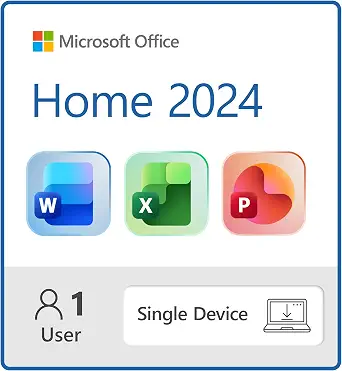
Microsoft Office Home 2024 is the straightforward choice here for someone seeking the core set of Word, Excel, PowerPoint and OneNote. Its purchase type is a one-time purchase, and the listing describes it as ideal for one person. Those details make it a sensible Best Overall pick among these options for an individual whose main requirements match that app list and who prefers a one-time purchase over the subscription structure in this comparison. The label is an editorial way to organize the choices, not a claim of measured superiority or a market-wide award.
The device limit is one device. The listed compatible choices are a single Windows laptop, Windows desktop, MacBook or iMac. Before selecting it, identify the computer on which you expect to use the software and compare that machine with the listing’s compatibility wording. The single-device limit is also worth treating as a real planning constraint: if you are choosing for a person who uses more than one computer, do not assume this listing covers them all. Check the current product page for the exact offer and configuration, especially during Black Friday when a headline may not make the selected edition or device terms obvious.
For everyday planning, this app mix may fit someone who expects to work with documents, spreadsheets and presentations, and also wants OneNote included. It is less aligned with a shopper whose deciding requirement is Outlook, since Outlook is not in the provided app list for this edition; compare the Home & Business option if Outlook is central to your routine. The one-time purchase avoids choosing a 12-month subscription term, but the facts here do not establish future upgrade terms, ongoing support or other ownership details, so verify any such requirement directly before buying. For Black Friday, compare the product name, one-time purchase wording, included apps and single-device condition on the specific listing rather than choosing from a broad Office search result.
Key specs
Included apps
Word, Excel, PowerPoint, and OneNote
Purchase type
One-Time Purchase
Device limit
Install on a Single Device
Compatible devices
single Windows laptop, Windows desktop, MacBook, or iMac
Microsoft Office Home & Business 2024 (ASIN B0DT54B895)
Microsoft Office Home & Business 2024 is the option to put first when Outlook is a must-have. The listed apps are Word, Excel, PowerPoint, Outlook and OneNote, giving this edition an app combination that includes Outlook alongside the familiar document, spreadsheet and presentation tools. Its one-time-purchase format may appeal to a buyer who has decided against a 12-month subscription. The Best for Outlook users label is based on the presence of Outlook in the supplied app list; it does not mean this is the best choice for every person or for every work setup.
The listing specifies use on one PC or Mac and says the product is for desktop only. It also describes delivery as an instant download. Those are practical details to compare with your own plan: select this product only if the desktop-only qualification and one-computer limit fit the intended use, and make sure instant download is the delivery format you expect. The record does not give further system requirements, so check the actual offer for details you need before committing. During Black Friday, confirm that the chosen listing is specifically Home & Business 2024, not a similarly named edition with a different app mix or purchase type.
A useful way to decide is to start with Outlook rather than the edition name. If you rely on Outlook as part of your routine, this product lists it; if it is not needed, compare the included apps and device terms of Office Home 2024 before settling on a purchase. Both are one-time purchases, but the app lists and stated device descriptions differ. Do not assume that a one-time purchase implies anything about future versions or upgrade rights: those details are not provided here. Black Friday can make it tempting to focus on the offer first, so write down the required apps and the one-PC-or-Mac condition, then verify those terms on the exact listing you are considering.
Key specs
Included apps
Word, Excel, PowerPoint, Outlook and OneNote
Purchase type
One-Time Purchase
Device limit
on one PC or Mac
Platform
on desktop only
Download type
Instant Download
Microsoft 365 Personal | 12-Month Subscription | 1 Person
Microsoft 365 Personal | 12-Month Subscription | 1 Person (ASIN B07F3TQ6DQ)
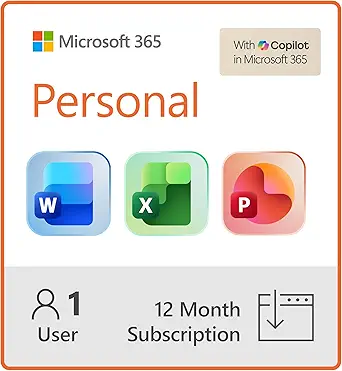
Microsoft 365 Personal is a 12-month subscription for one person. Its listed apps are Word, Excel, PowerPoint and Outlook, and the product includes 1TB Cloud Storage. It is the Best Budget choice in this guide as an editorial category label, not a statement about its price or a guarantee that it costs less than the one-time-purchase options. The distinguishing facts to assess are the subscription term, one-person limit and listed storage. A shopper who values those terms may find this a better match than choosing solely by the Office name.
The product is delivered electronically. Activation is described as signing in with your Microsoft account and redeeming your code. Keep those steps in mind when deciding whether digital delivery fits your preference, and make sure you can use the account-based activation described in the listing. The compatible computers named are a Windows laptop, desktop, MacBook or iMac. Compare those options with the computer you plan to use; the facts provided do not specify a device limit beyond the one-person subscription description, so do not infer a broader device allowance from the computer list.
This subscription may suit an individual who wants Outlook and values the included cloud storage, while being comfortable with a 12-month subscription rather than a one-time purchase. Compare its app list with Home & Business 2024 if OneNote is important, since the supplied list for Microsoft 365 Personal names Word, Excel, PowerPoint and Outlook but does not list OneNote. That is a comparison of the stated lists, not a claim about other features. For Black Friday, verify the exact subscription term, one-person description, storage amount, compatible-computer wording and electronic delivery on the selected offer. Do not decide from a discount message alone; first check whether the subscription structure matches your plans.
Key specs
Subscription term
12-Month Subscription
Users
1 Person
Included apps
Includes Word, Excel, PowerPoint & Outlook
Cloud storage
1TB Cloud Storage
Compatible computers
Windows laptop, desktop, MacBook or iMac
Delivery
Product delivered electronically
Activation
Sign in with your Microsoft account, redeem your code
Decide what should anchor your shortlist
Begin with the job you expect Office to do, not with an edition name or a sale banner. Write down the apps you actually need: Word, Excel, PowerPoint, OneNote or Outlook. Then compare that short list with each product’s stated apps. Office Home 2024 lists Word, Excel, PowerPoint and OneNote; Home & Business 2024 adds Outlook to that combination; Microsoft 365 Personal lists Word, Excel, PowerPoint and Outlook. This simple check can remove an otherwise tempting option if it does not meet a must-have requirement.
Next, distinguish a required app from a welcome extra. Someone who mainly writes documents, handles spreadsheets and prepares presentations may focus on the three apps named in all three listings. A person who specifically wants OneNote or Outlook should use that preference to narrow the options instead of assuming every Office product includes the same set. During Black Friday, search results and promotional wording may foreground the brand while leaving edition details less prominent. Keep the product name and app list together as you compare, and reopen the selected listing to confirm the exact edition before you proceed.
Choose the purchase format on purpose
The two Office 2024 products are listed as one-time purchases, while Microsoft 365 Personal is a 12-month subscription. That is the first structural decision to make. Ask whether you would rather make a one-time purchase or select a product with a stated subscription term. The records do not establish renewal conditions, future upgrade rights or long-term costs, so do not fill in those details from assumptions. If any of them affect your decision, look for clear terms on the exact offer before buying.
A Black Friday offer should be compared only after you know which structure you want. Put the purchase type or subscription term beside the edition name, then check that the listing still matches your choice at checkout. A prominent promotion cannot resolve whether a one-time purchase or a 12-month term fits you better. Keep that preference separate from any offer wording, and avoid comparing products as if their purchase formats were interchangeable. A deliberate choice of structure makes it easier to evaluate the rest of the product facts without being distracted by a headline.
Check the computer and user conditions
Before buying, match the computer description and any stated limit to the person who will use the software. Office Home 2024 is described for one person and one device, with a single Windows laptop, Windows desktop, MacBook or iMac listed as compatible. Home & Business 2024 is specified for one PC or Mac and desktop use only. Microsoft 365 Personal is for one person and names a Windows laptop, desktop, MacBook or iMac as compatible computers. These are not interchangeable descriptions, so compare the wording that applies to your selected product.
Think through the actual setup: who will use it, which computer is intended, and whether a stated one-device or one-computer condition fits that plan. Do not assume that a product’s list of compatible computer types answers every question about your configuration; the provided facts do not give detailed system requirements. Black Friday browsing can move quickly between similarly named products, making a final check especially useful. Confirm that the selected item has the platform and user terms you intended, and seek additional listing details if your computer or use case is not clearly covered.
Treat storage and delivery as separate needs
Only Microsoft 365 Personal in this group has a stated cloud-storage amount: 1TB Cloud Storage. Consider whether that detail matters to your decision, but do not treat it as a substitute for comparing apps, user terms or purchase structure. The two Office 2024 records do not provide a storage amount in the supplied facts, so the comparison here cannot establish how their storage arrangements differ. If storage is a deciding requirement, verify the exact product information rather than assuming details from another edition.
Delivery is another distinct checkpoint. Home & Business 2024 is described as an instant download, and Microsoft 365 Personal is delivered electronically; its activation instructions say to sign in with a Microsoft account and redeem the code. Consider whether these stated steps suit your expectations. The Home 2024 facts provided here do not specify a delivery method, so avoid assuming one. For Black Friday, check the delivery wording on the chosen offer and keep it separate from any promotional language. A clear view of storage and delivery helps prevent one attractive detail from obscuring a more important mismatch.
Read the Black Friday offer as a product-specific choice
Make the final comparison with the exact product page open. Confirm the full edition name, the apps listed, purchase type or subscription term, user and device wording, and any delivery or storage detail that matters to you. If the offer presents a variant selector, check that the selected variant is the one you intended before relying on the displayed terms. These records do not provide prices, discounts, stock or promotion dates, so this guide cannot identify an active deal or say that one option is cheaper.
A useful Black Friday decision is one you can explain without mentioning the banner: this is the app mix I want, this is the purchase format I chose, and the device and user conditions fit my plan. If a necessary detail is unclear, pause and inspect the listing rather than guessing. Recheck the product name after navigating from a search result, because a related edition may have a different app list or terms. That final, specific comparison keeps the decision grounded in what the offer actually describes.
Make your Black Friday choice
For a focused shortlist, start with the required apps, then choose between a one-time purchase and a 12-month subscription. Match the selected product’s stated computer, user and device conditions to your setup, and give storage and delivery their own checks. Office Home 2024, Home & Business 2024 and Microsoft 365 Personal each describe a different combination of those details. During Black Friday, verify the exact edition and offer rather than assuming that a promotional message applies to the product you want. When the listing matches your requirements clearly, you can make the choice on fit instead of on a banner.