Best Computer Parts Buying Guide — Black Friday Deals 2026
Which computer part should shape your next build decision: the processor, the motherboard that supports it, or the storage device that connects to it? These listings cover all three, but they solve different planning needs. The AMD Ryzen 9 7900X pairs a stated core and thread count with an AM5 socket; the GIGABYTE B650 AORUS Elite AX is an AM5 board with support for specified Ryzen processor series; and Samsung’s 9100 PRO is an M.2 drive with a PCIe 5.0×4 interface. Treat Black Friday as a chance to compare the exact model and configuration, not as proof that a listing is a bargain. Start with the part your build needs, then check the details that affect fit.
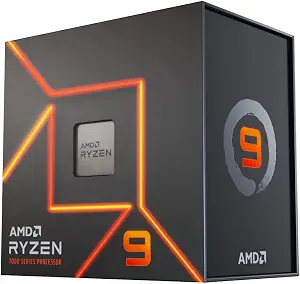
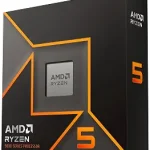
Best Overall is the editorial fit for the AMD Ryzen 9 7900X among these featured parts: it is the processor option, with 12 cores and 24 threads, rather than a board or storage drive. Those specifications give shoppers concrete details to weigh when choosing a CPU for a desktop intended to handle varied tasks. Its Socket AM5 designation also gives you a clear platform detail to verify against the motherboard and the rest of the planned build. The label is a guide to this selection, not a claim of measured superiority or a market-wide award.
The processor lists 12 MB L2 plus 64 MB L3 cache and a 5 nm process technology. It also identifies an AMD Radeon Graphics controller. These are useful listing details to consider alongside the processor’s role in your system; they do not, by themselves, establish how a particular workload will feel or what other parts you can omit. If you are comparing Black Friday offers, use the full model name and verify that the offer refers to this processor, then compare its stated specifications with the requirements you have already set for your build.
A practical tradeoff is that a processor decision is tied to the platform around it. The 7900X uses Socket AM5, while the GIGABYTE board featured here also lists Socket AM5 and supports Ryzen 7000 Series processors, a series that includes the model’s stated Ryzen 7000 family designation. Check the exact board and processor listing together rather than treating a shared socket label as the only compatibility check. Choose this CPU if its listed core and thread details suit the kind of desktop you intend to assemble; consider the board and memory plan before moving from shortlist to checkout. Black Friday wording should not replace those checks.
Key specs
Processor socket
Socket AM5
Processor cores
12 Core
Concurrent threads
24
Cache
12 MB L2 plus 64 MB L3 cache
Process technology
5 nm process technology
Graphics controller
AMD Radeon Graphics controller
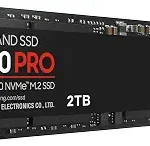
Samsung SSD 9100 PRO 1TB, PCIe 5.0×4 M.2 2280, Up to 14,700MB/s
Samsung SSD 9100 PRO 1TB, PCIe 5.0×4 M.2 2280, Up to 14,700MB/s (ASIN B0DX2G349M)
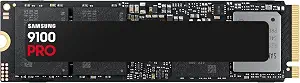
Best for PCIe 5.0 storage is the editorial label for Samsung SSD 9100 PRO 1TB. Its stated capacity is 1 TB, and its interface and form factor are PCIe 5.0×4 M.2 2280. Those details make it the storage-focused choice in this group. The listing gives sequential read and write speeds of up to 14,700/13,300 MB/s and random read and write speeds of up to 1,850K/2,600K IOPS. The “up to” qualification matters: treat these as listed maximum figures, not a guarantee of what every device or task will achieve.
The drive also lists hardware encryption and compatibility with desktop, laptop, and PS5 with an added heatsink device. That device note is worth checking carefully if you are considering it for PS5 use; do not assume the product page describes an identical setup for every use case. For a desktop or laptop plan, confirm that the system you have in mind accepts the stated M.2 form factor and PCIe interface. Capacity is another personal decision: ask whether 1 TB matches the amount and type of material you intend to keep on this drive, rather than choosing from speed figures alone.
During Black Friday, compare the exact 1 TB model and selected variant instead of relying on a broad “fast storage” description. Check that the listing names the 9100 PRO and retains the PCIe 5.0×4 M.2 2280 details. The speed claims may attract attention, but the interface, capacity, device fit, and added-heatsink note for PS5 use are practical parts of the decision too. Choose this drive if those stated attributes align with your system and priorities. Its label identifies a fit within this article, not a measured advantage over products that are not included here.
Key specs
Capacity
1 TB
Interface and form factor
PCIe 5.0×4 M.2 2280
Sequential speeds
Up to 14,700/13,300 MB/s¹ sequential read/write speeds.
Random speeds
random read/write speeds up to 1,850K/2,600K IOPS¹
Encryption
Hardware Encryption
Compatible devices
Compatible Devices Desktop, Laptop, PS5 with added heatsink device²
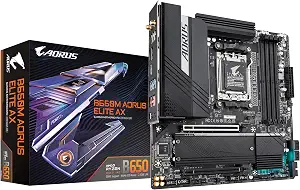
Best Budget is the assigned editorial label for the GIGABYTE B650 AORUS Elite AX, the motherboard in this selection. It is an ATX board with Socket AM5 and support for AMD Ryzen 9000, Ryzen 8000, and Ryzen 7000 Series processors. That makes its processor support information a useful starting point for someone organizing an AM5 desktop build. The label does not mean it has the lowest current price, establishes a discount, or represents a market-wide award; compare the exact offer and the features you actually plan to use.
Memory support is listed as four DIMMs with AMD EXPO and Intel XMP Memory Module Support. The board also specifies a Twin 14+2+1 Phases design with a 70A Power Stage Digital VRM Solution, PCIe 5.0 NVMe x4 M.2 connectivity, WIFI6E, and 2.5GbE Ethernet. These details offer a concrete checklist: consider the memory modules you intend to install, whether the stated networking options matter for your setup, and whether the listed M.2 connection matches your storage plan. They are not a promise of a particular result in every configuration.
For a Black Friday comparison, first verify that the product page identifies the B650 AORUS Elite AX and that the offer’s selected variant is the board you mean to buy. Then compare its socket and supported processor series with your chosen CPU. The Ryzen 9 7900X in this guide is identified as Socket AM5, and the board lists Ryzen 7000 Series support, so those are relevant facts to check together. Still, review the exact listing and your full build plan before deciding. The board may suit shoppers who want its specified memory, M.2, and networking features; if those details do not match your needs, a seasonal headline alone is no reason to choose it.
Key specs
Processor socket
Socket AM5
Compatible processors
Supports AMD Ryzen 9000/Ryzen 8000/Ryzen 7000 Series Processors
Memory
4*DIMMs with AMD EXPO & Intel XMP Memory Module Support
Power design
Twin 14+2+1 Phases with 70A Power Stage Digital VRM Solution
M.2 connectivity
PCIe 5.0 NVMe x4 M.2
Wireless networking
WIFI6E
Ethernet
2.5GbE
Let the component set the build’s next question
Before browsing Black Friday listings, decide whether you are replacing a processor, selecting a motherboard, or adding storage. Each choice opens a different set of checks. For the Ryzen 9 7900X, begin with its Socket AM5 designation and the stated processor details. For the B650 AORUS Elite AX, start with its AM5 socket and supported Ryzen series. For Samsung’s 9100 PRO, look first at its 1 TB capacity, PCIe 5.0×4 interface, and M.2 2280 form factor. This prevents an appealing headline from turning a part that does not match your plan into an unnecessary purchase.
Write down the requirements that matter to your particular build before comparing offers. A processor shopper might prioritize the listed 12 cores and 24 threads; a motherboard shopper might focus on memory support or networking; a storage shopper might give capacity and connection equal attention. These examples are ways to sort your priorities, not claims that any one specification guarantees a result. Black Friday can make model details harder to notice amid promotional language, so keep your shortlist anchored to exact names and listed features. If a key requirement is unclear, pause to check the product page rather than filling the gap with an assumption.
Use Black Friday to verify the model, not the mood
Seasonal language does not establish that an offer is a promotion, a good value, or the same configuration you meant to compare. On Black Friday, open the exact listing and confirm the model name and selected variant. For the processor, make sure it says AMD Ryzen 9 7900X. For the board, check for GIGABYTE B650 AORUS Elite AX. For storage, confirm Samsung SSD 9100 PRO 1TB and the stated interface and form factor. Do not treat a similar product title or a general category banner as a substitute for those checks.
Then compare only details you can verify on the offer page: the product identity, the included configuration as described, and the specifications relevant to your build. No price or discount is established by the information in this guide, so use the live listing to judge the offer for yourself. Be attentive to variant selectors and any listing text that changes which model is being shown. A Black Friday label may help you find seasonal merchandising, but it cannot answer whether the product fits your system or whether its current terms meet your expectations.
Follow platform details across the planned build
Socket and processor-series information provide an important compatibility checkpoint, but they are not the entire build plan. The Ryzen 9 7900X lists Socket AM5. The GIGABYTE board lists Socket AM5 and support for Ryzen 9000, Ryzen 8000, and Ryzen 7000 Series processors. Those stated details make the pairing worth evaluating, but confirm the exact products and any other requirements on their listings before purchase. Do not assume that one matching specification settles every question about a complete system.
For other components, make the same kind of deliberate check. The board’s four-DIMM support and AMD EXPO and Intel XMP Memory Module Support give you features to compare with the memory you intend to use. Its PCIe 5.0 NVMe x4 M.2 connection can be considered alongside the Samsung drive’s PCIe 5.0×4 M.2 2280 description. Confirm the fit for your actual device and planned configuration instead of relying on a resemblance between terms. Black Friday is a useful time to revisit this compatibility map, not a reason to skip it.
Make storage claims answer a real capacity question
The Samsung drive’s listed sequential speeds of up to 14,700/13,300 MB/s and random speeds of up to 1,850K/2,600K IOPS are specific figures, but they should be read with their qualifications. They do not say what a particular task will achieve in your system. Consider whether those claims are relevant to your intended use, and compare them with the connection and capacity your device supports. The 1 TB capacity and PCIe 5.0×4 M.2 2280 details are just as central to deciding whether this is the right storage listing for your plan.
Device notes can change what you need to verify. The listing names desktop and laptop use, and describes PS5 compatibility with an added heatsink device. If PS5 is your intended device, read that qualification on the exact listing and confirm what is required for your setup. For a computer, check the device’s specifications for support of the stated interface and form factor. During Black Friday, it is easy to focus on a headline speed; make capacity, connection, and device fit part of the same decision.
Choose board features around your actual setup
A motherboard can be a collection of tempting specifications unless you connect each one to a real need. The B650 AORUS Elite AX lists WIFI6E and 2.5GbE Ethernet. Consider which of those stated networking options fits your setup, and check the listing for the exact board before comparing offers. Its memory support, PCIe 5.0 NVMe x4 M.2 connectivity, and specified power design are other details to review against your intended build. A feature being listed is useful information; it is not evidence that you need it or that it changes results in a particular way.
Think through your processor and memory choices before treating the board as a standalone purchase. The manufacturer listing describes support for AMD Ryzen 9000, Ryzen 8000, and Ryzen 7000 Series processors, plus four DIMMs with AMD EXPO and Intel XMP Memory Module Support. Check the exact requirements for the parts you plan to combine. Black Friday comparisons work best when your notes distinguish must-haves from optional features: that keeps you from paying attention to specifications that do not influence your decision, while still catching details that would matter to your setup.
Make your Black Friday choice
Before checkout, revisit the exact product name, selected variant, and specifications that prompted your shortlist. Confirm the Ryzen 9 7900X’s Socket AM5 details against the board’s stated support, or verify that the Samsung drive’s capacity, interface, form factor, and device note fit your storage plan. Compare the live Black Friday offer on its own terms; this guide does not establish a current promotion or price. Choose by the requirement the part needs to meet, not by the seasonal wording. That final listing check is the simplest way to keep a computer-parts decision grounded in the details that matter to your build.